Looply: Creating a motivational social app for crafters

OVERVIEW

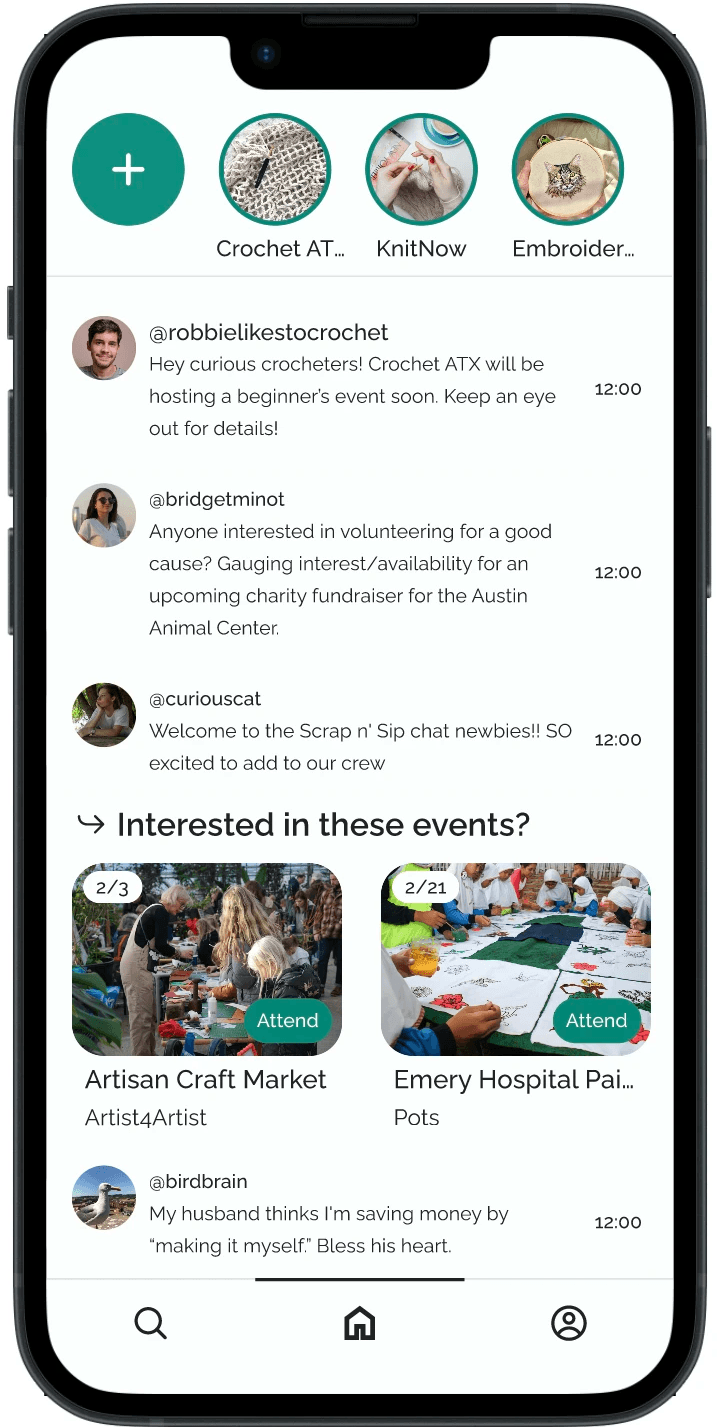
During a 48-hour hackathon, I devised Looply: a motivational social network app for crafters. Looply helps users craft more frequently and find in-person community by offering users local craft circles and events, motivating guided prompts, and progress update sharing.
YEAR

Jan 2026 - Feb 2026

ROLE

UX Researcher

UX Designer

Team

Sam Kamath

Rajab Ali

The Problem

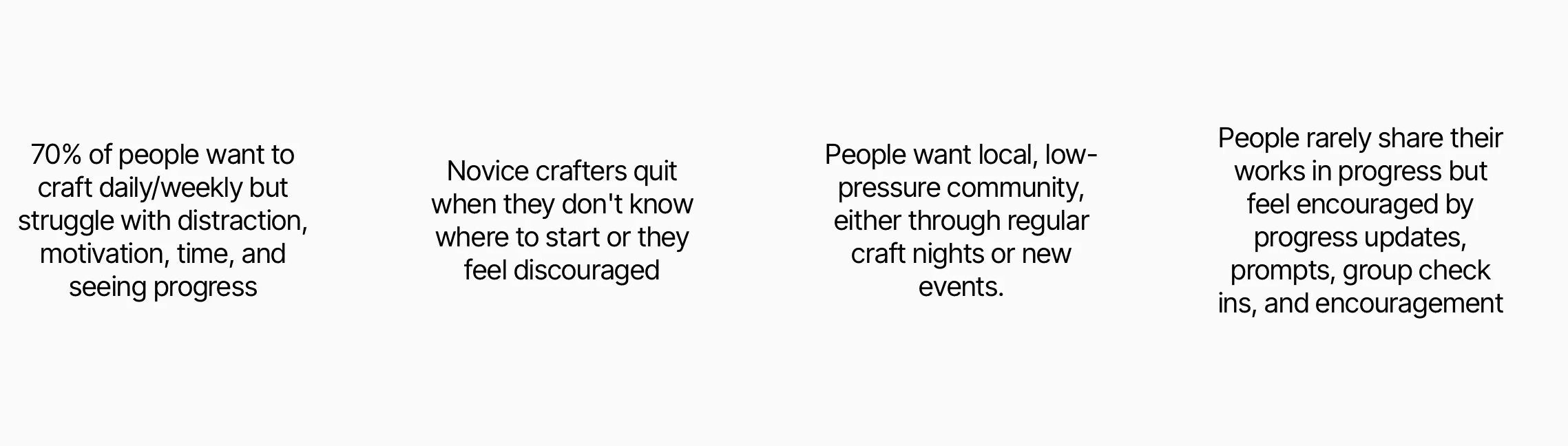
Crafters often have graveyard of unfinished projects or hobbies. As a hobby, crafting is often a solitary activity. People sometimes lack motivating in-person community. When combined with daily distractions, the business of life, and lack of motivation, it's no surprise that people often quit new crafts or abandon ongoing projects.

The Solution

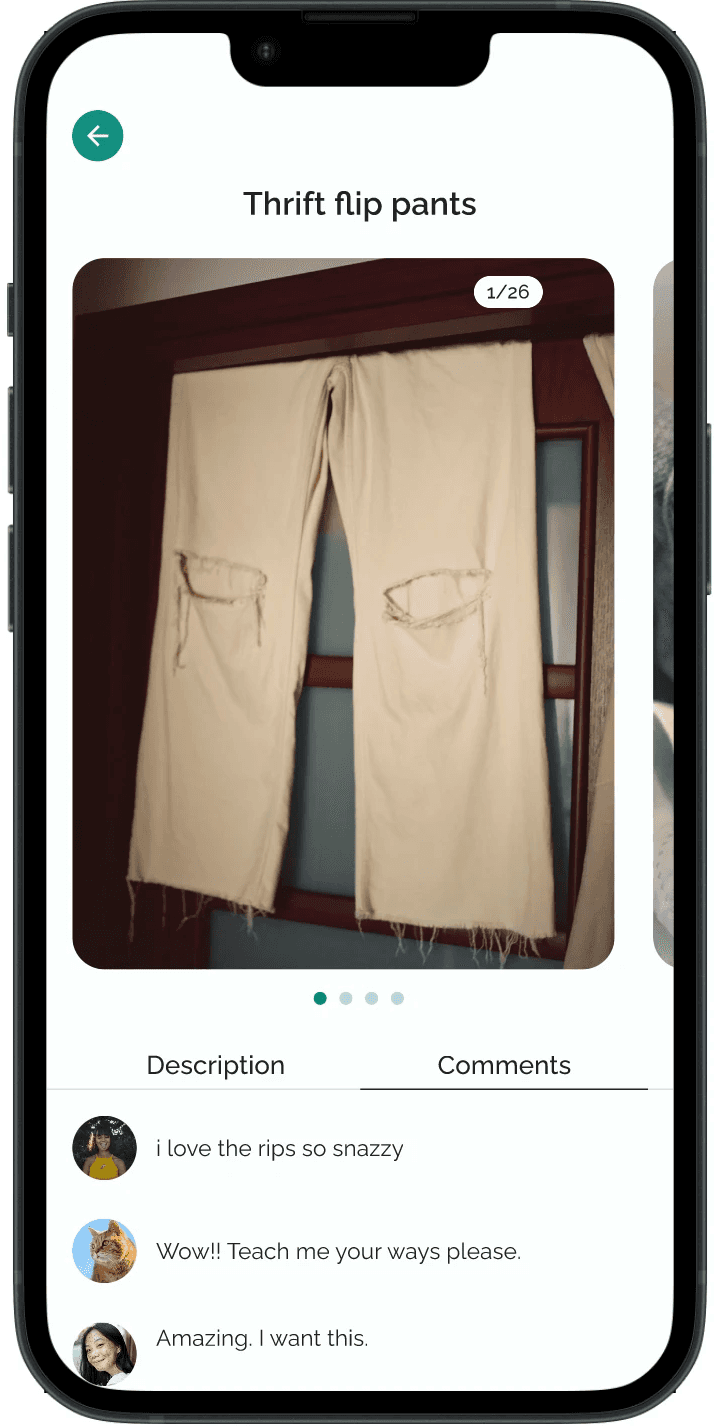
Looply is a conceptual mobile app designed for beginner and intermediate crafters to find community and motivation. It was designed as a tool for positive reinforcement via guided prompts, encouraging messages, and progress update sharing. Looply also presents users with local events and craft circles, helping them find connections and resources.

Key Challenges

  • As a hackathon project, most of the UX design process occurred in a 48 hour timeline

  • Due to team members being in different countries, all collaboration was remote and across timezones.

  • Our backend developer dropped out during the project, limiting the user flows we could deliver.

Research

The timeline for the UX process was tight: 48 hours total and 16 hours to finalize a product design before international developer handoff. I prioritized research methods that would provide the most immediate, broadest results.

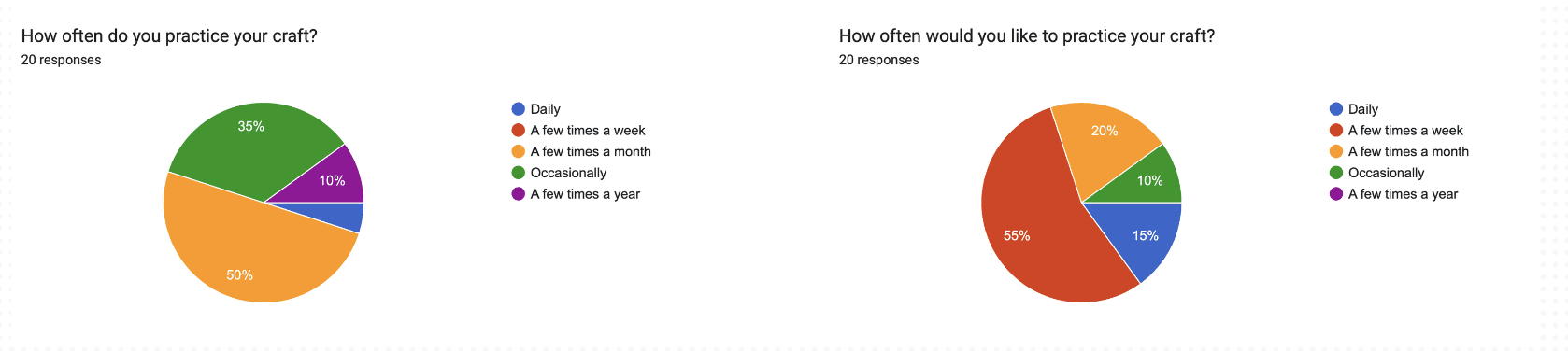
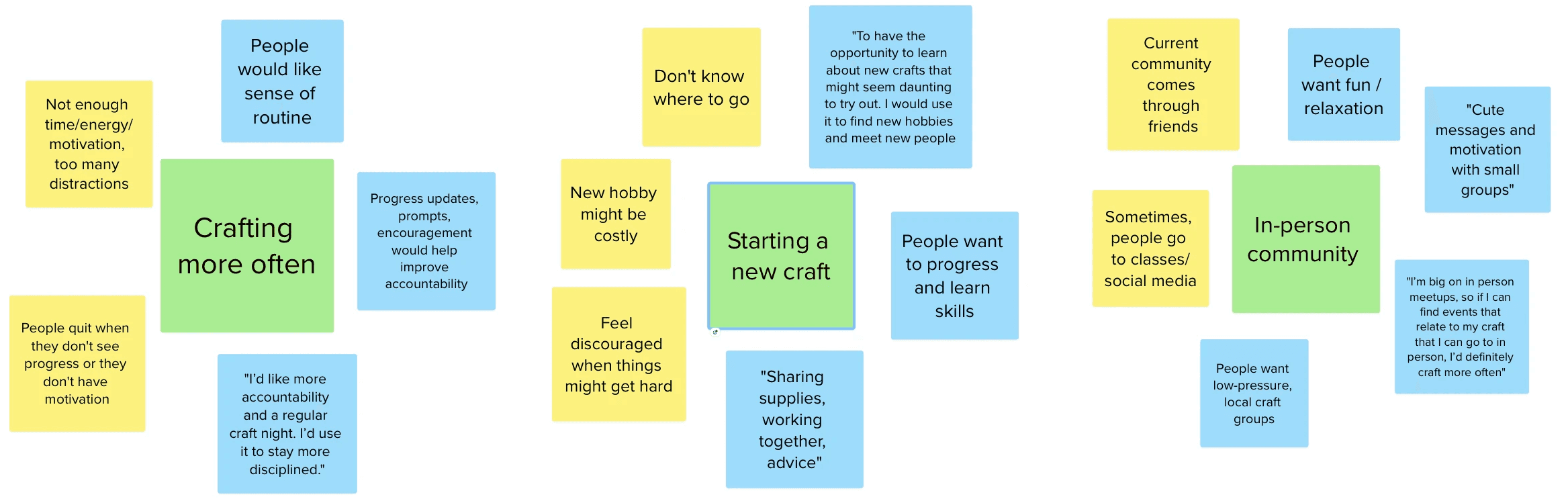
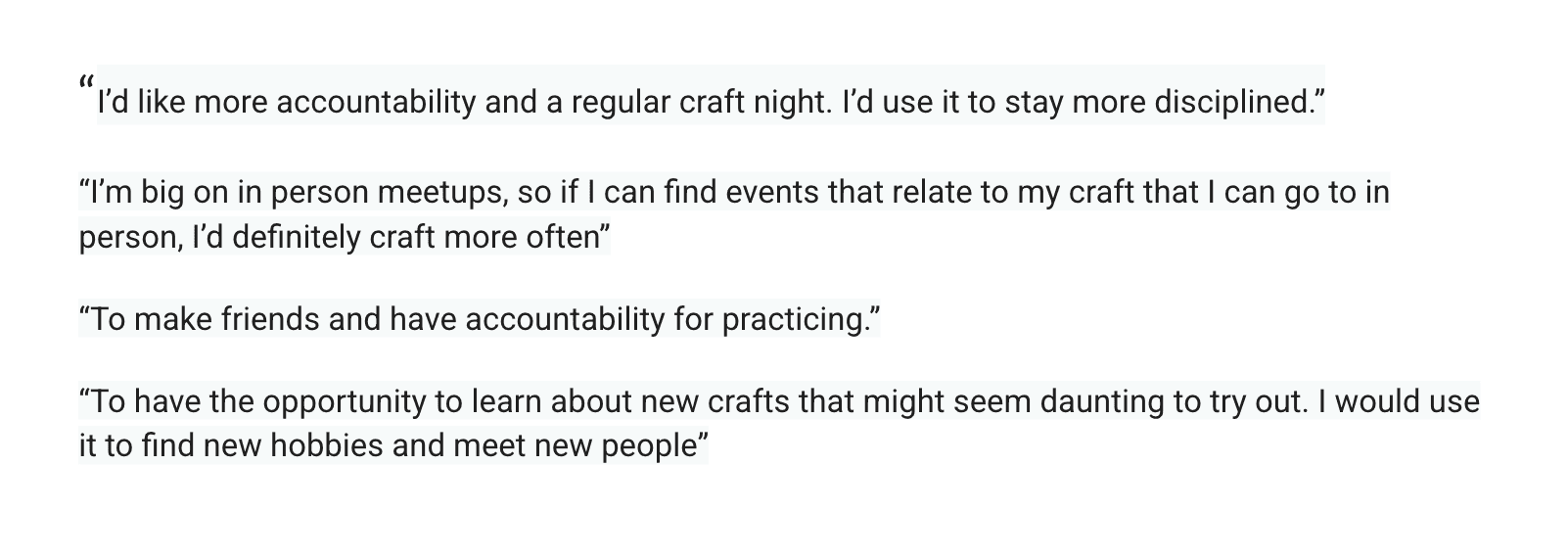
I used 15 user surveys asking users their behaviors on crafting frequency, community experiences, and accountability motivations.

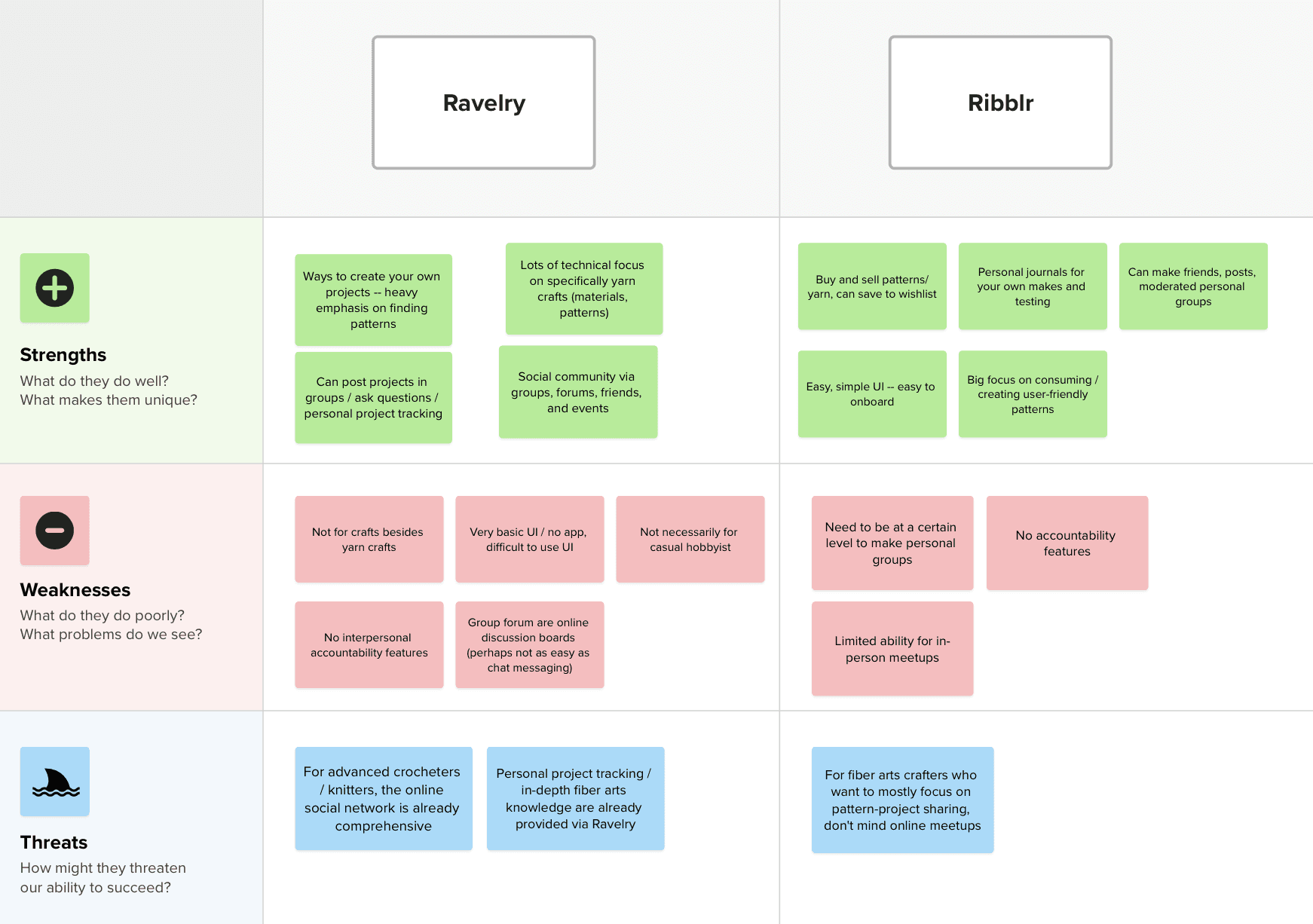
A quick competitive analysis helped determine how to differentiate this solution.

I analyze two craft-focused social websites: Ribblr and Ravelry.

Both are yarn-focused apps with project tracking abilities, pattern-sharing, and social community.

What does Looply add?

  • A mobile app with easy-to-use UI for all types of crafters

  • Specialized focus on actively connecting users with relevant in-person community

  • Caters to beginner and intermediate crafters who require motivation to begin or stick with their projects

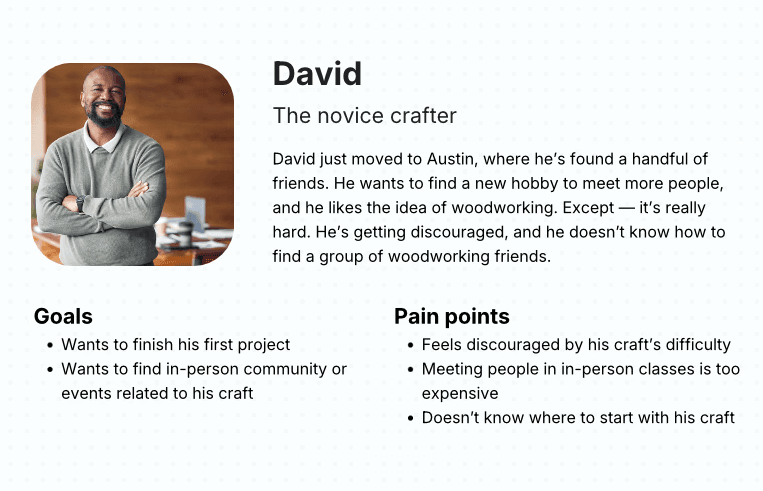
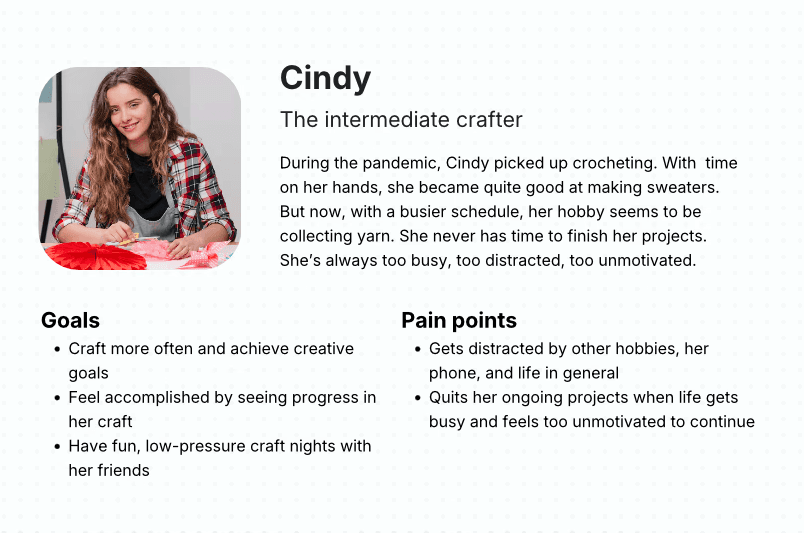
I created two personas to identify the target audience.

Ideation

How might we motivate new crafters?

How might we increase accountability?

How might we support in-person community?

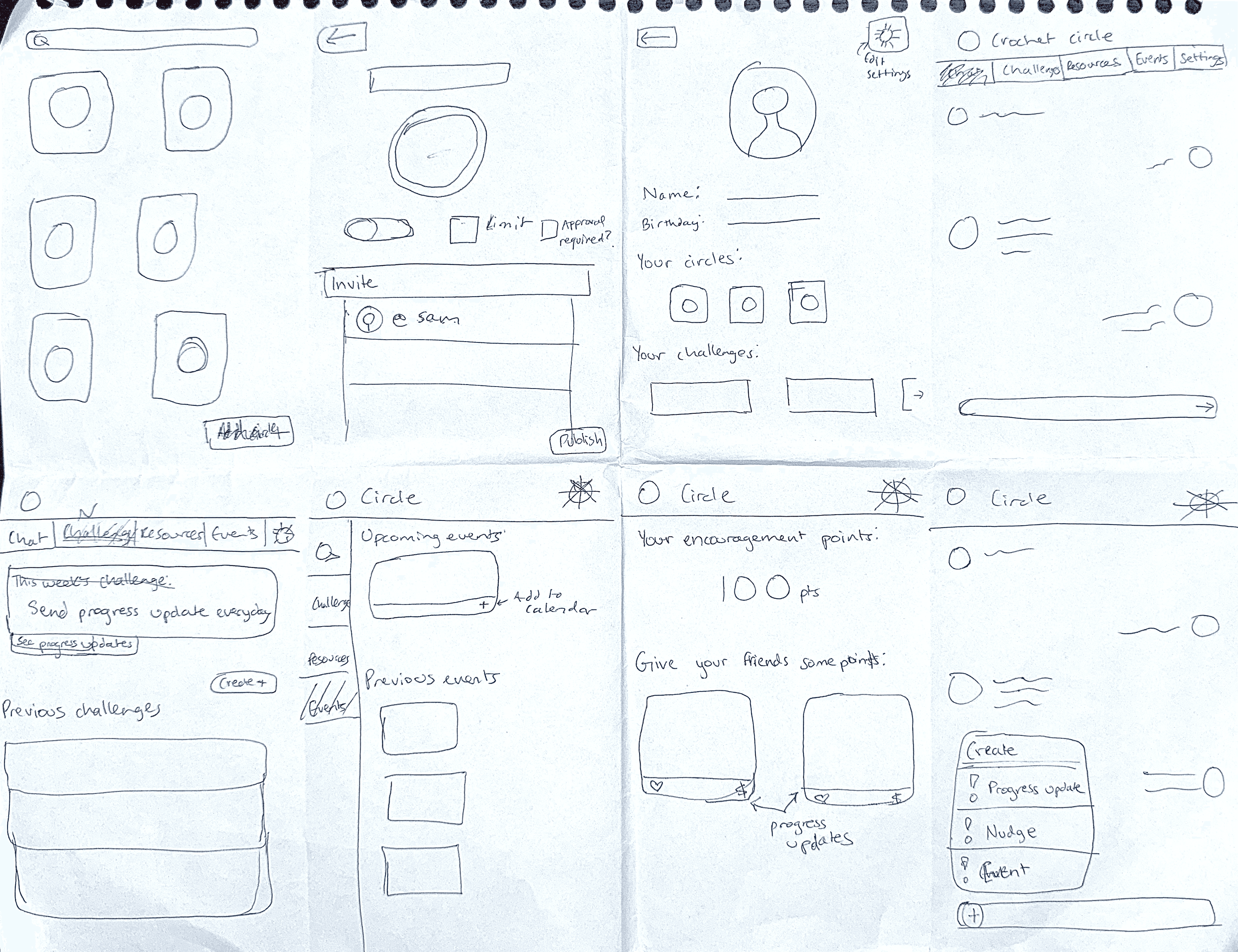
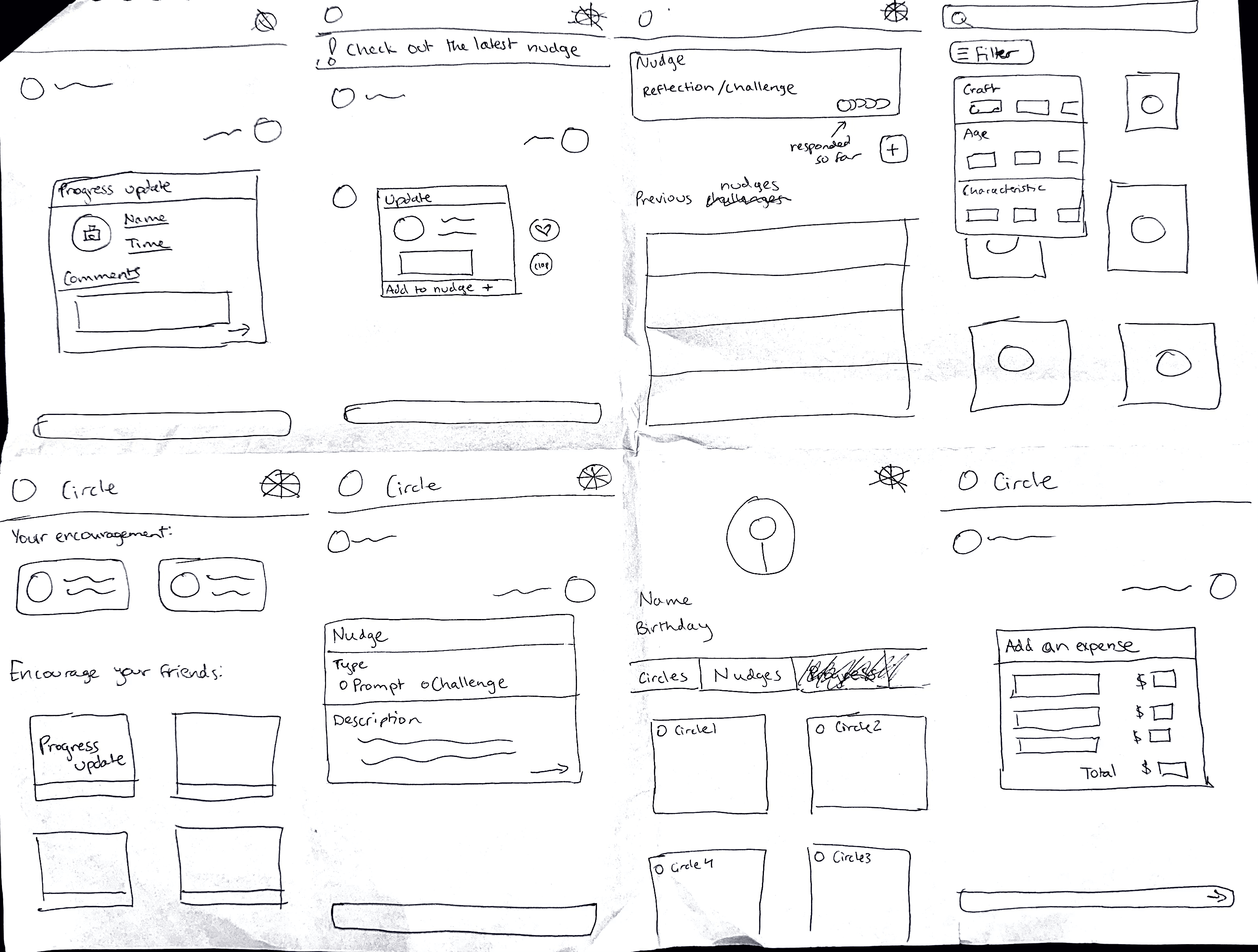
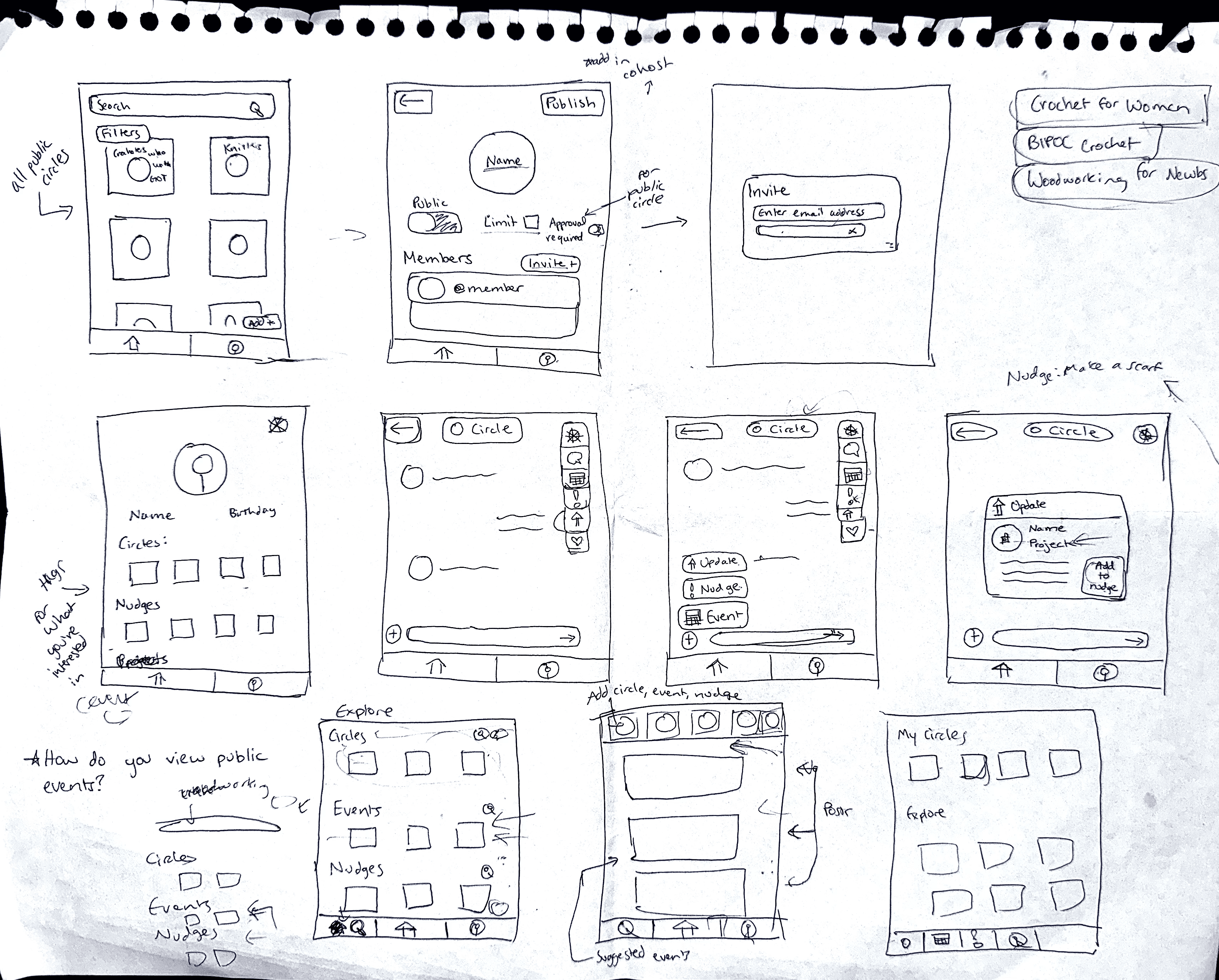
Next came sketching.

And more sketching.

And then some more.


I created a language to describe Looply features:

Circles = craft communities

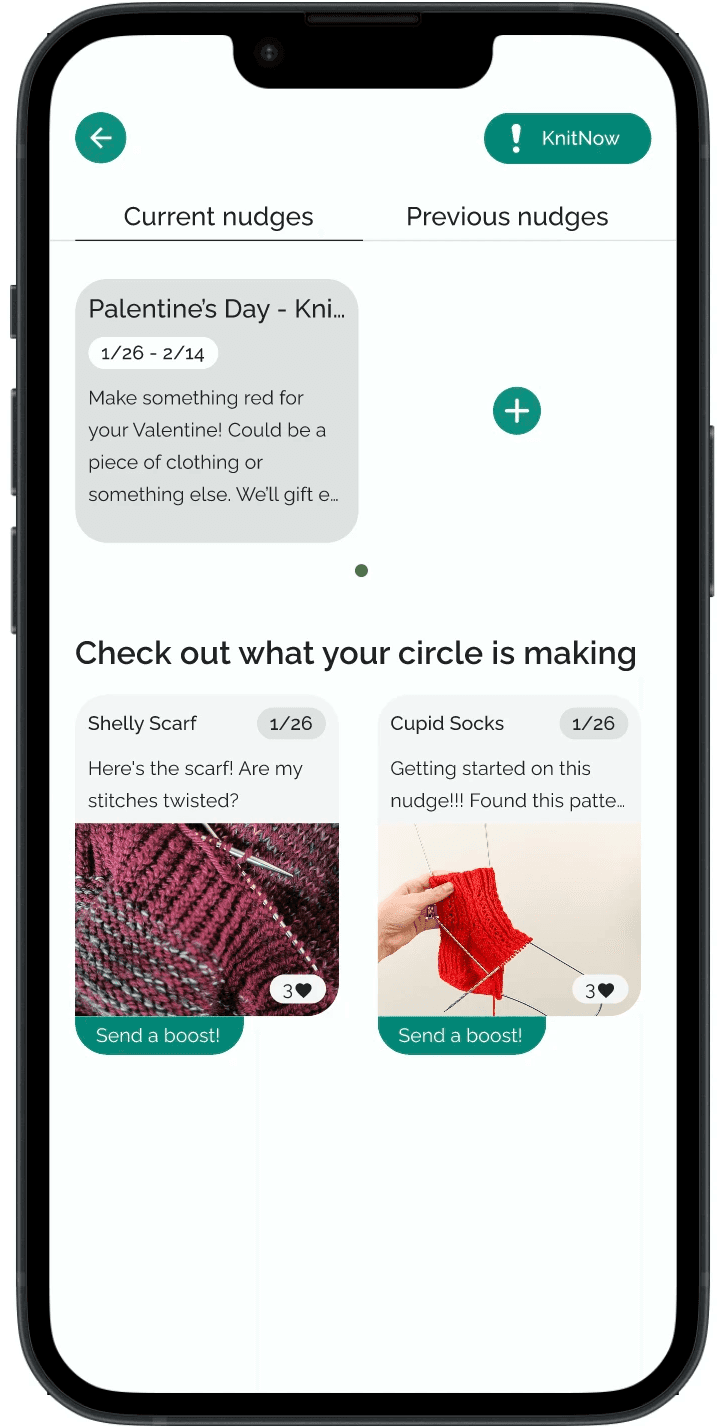
Nudges = encouraging prompts/challenges

Updates = progress updates on a particular project

The clock was running out. It was almost time for developer handoff.

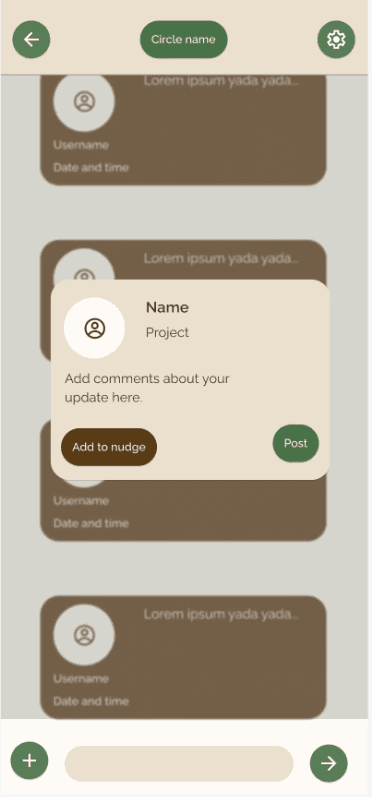
I realized I couldn’t fully wireframe key user stories.

Instead, I considered what was technically possible under time limitations (and with no backend developer) but also showcased the two core features of Looply: connection and motivation.

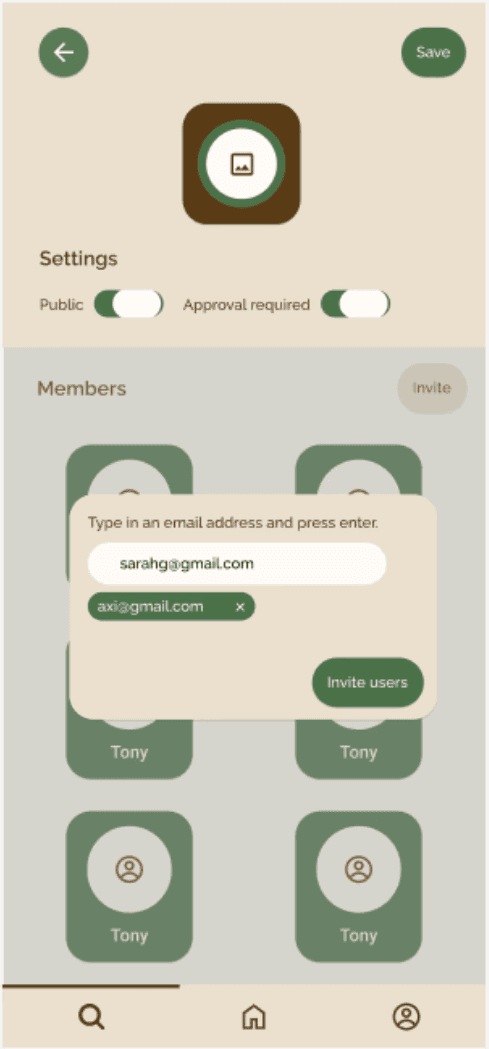
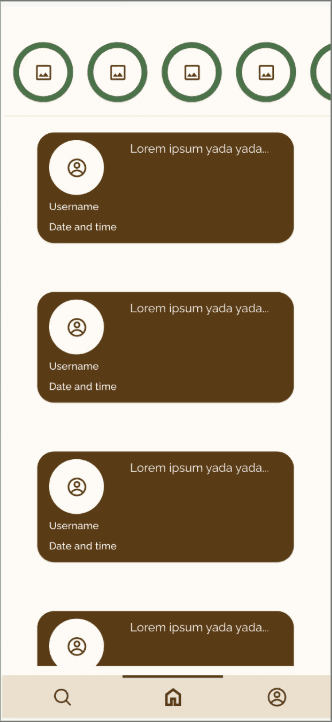
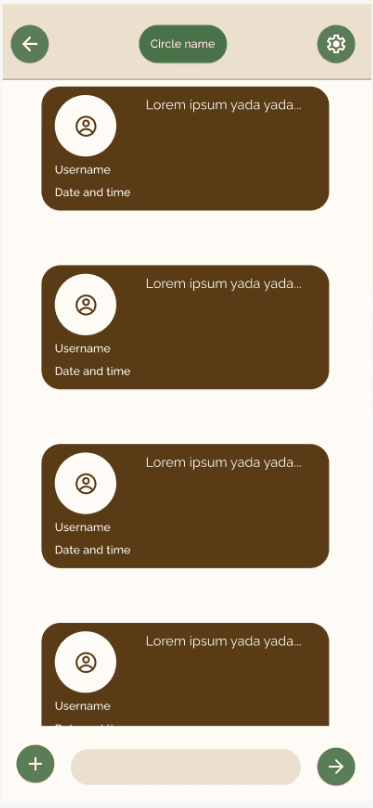
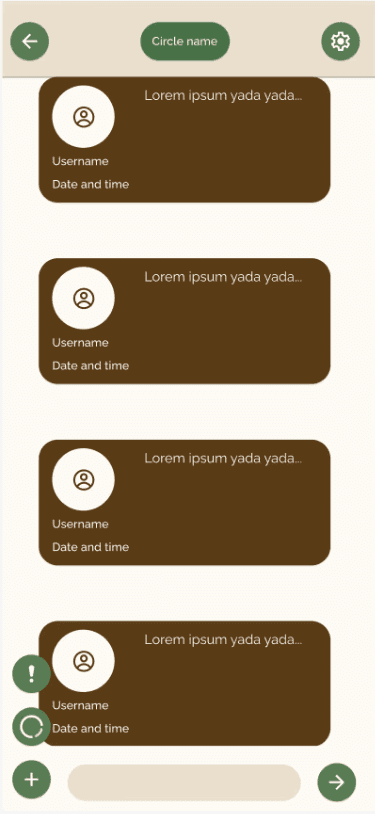
I made basic Figma wireframes with these two considerations:

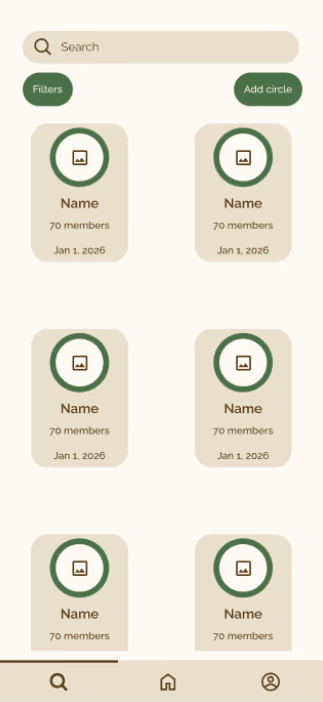
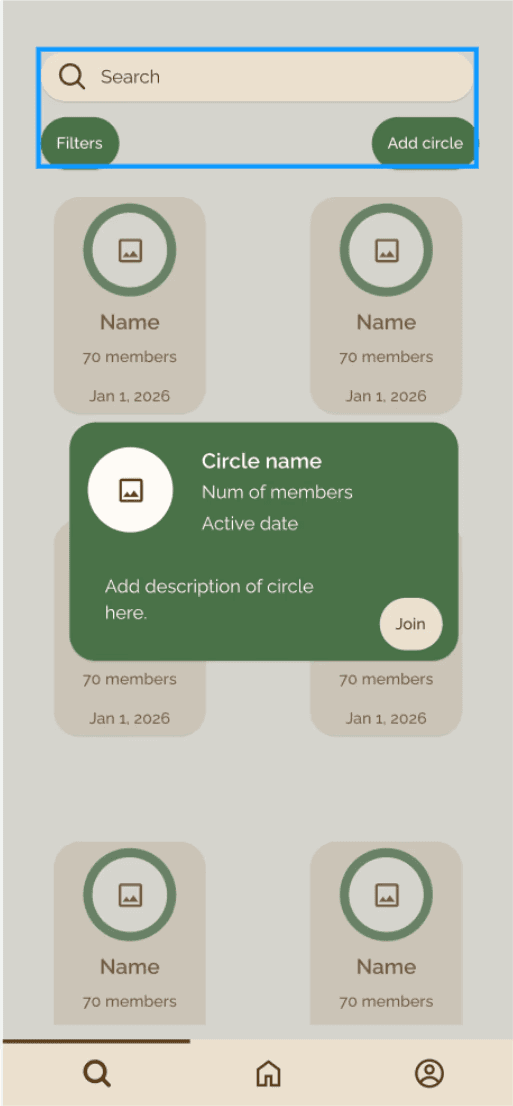
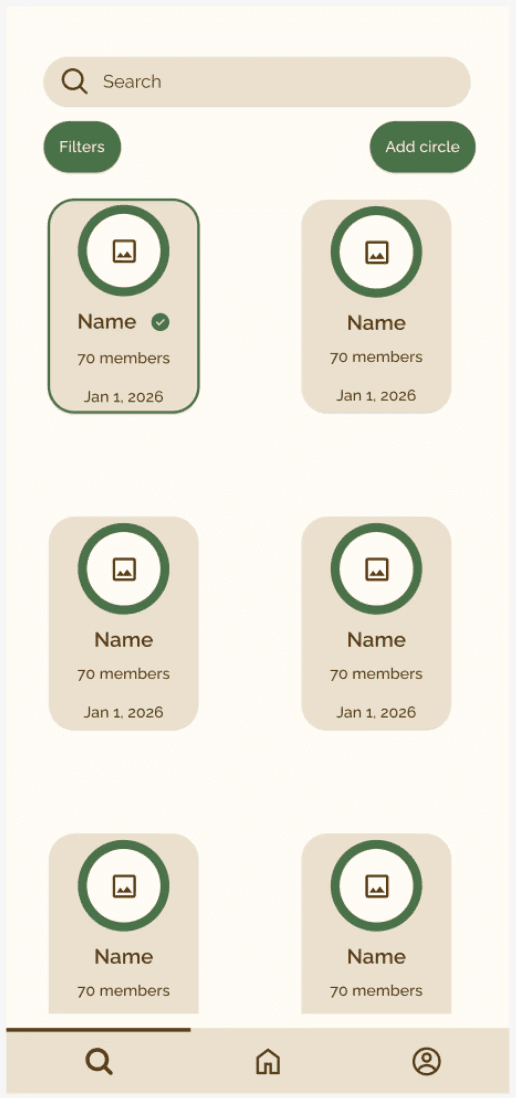
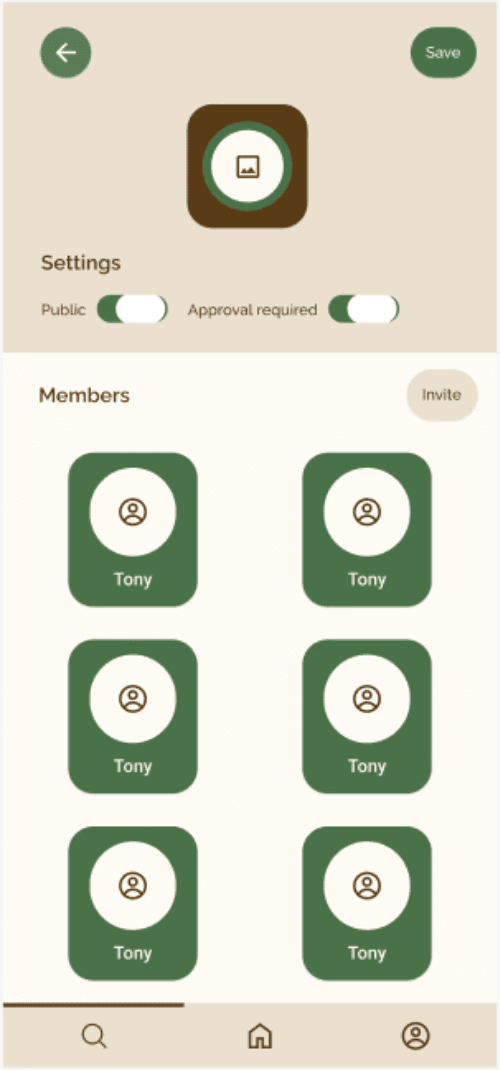
  1. User can create, join, and explore circles and view circle posts in their feed. 

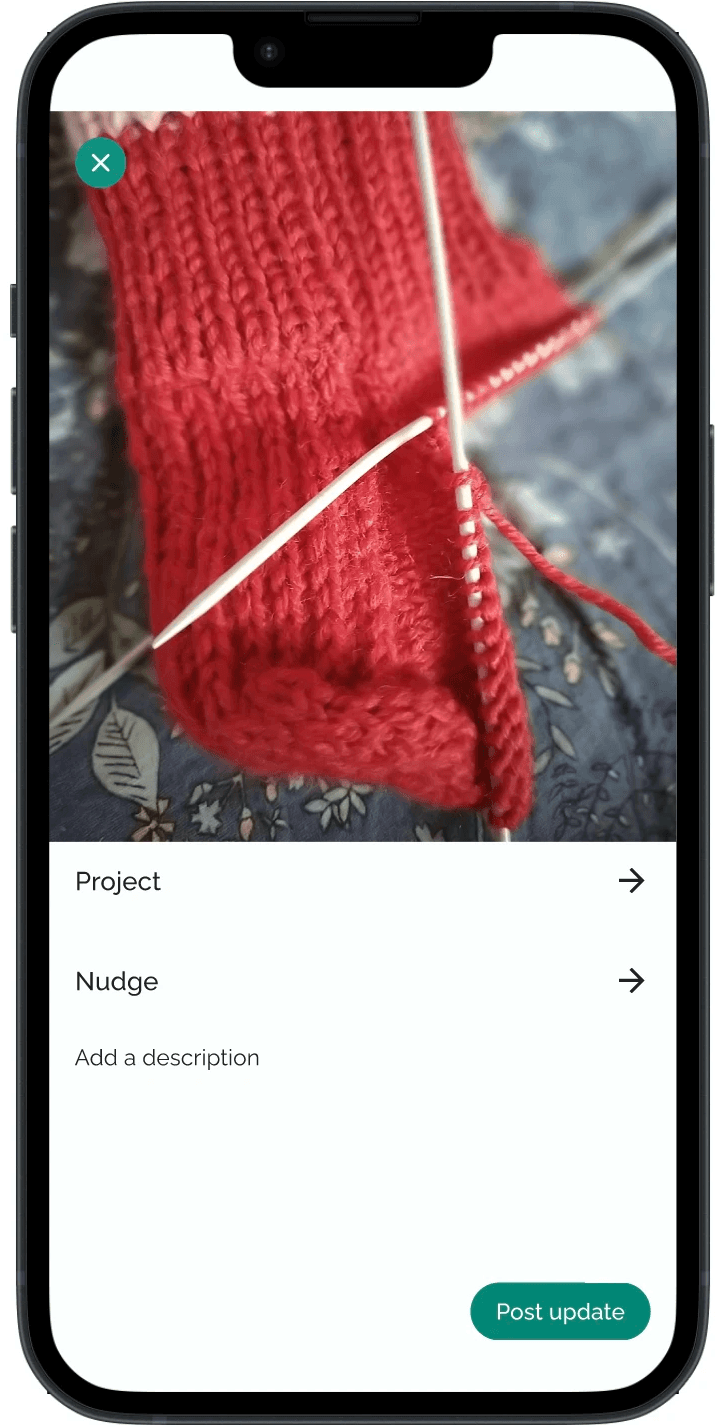
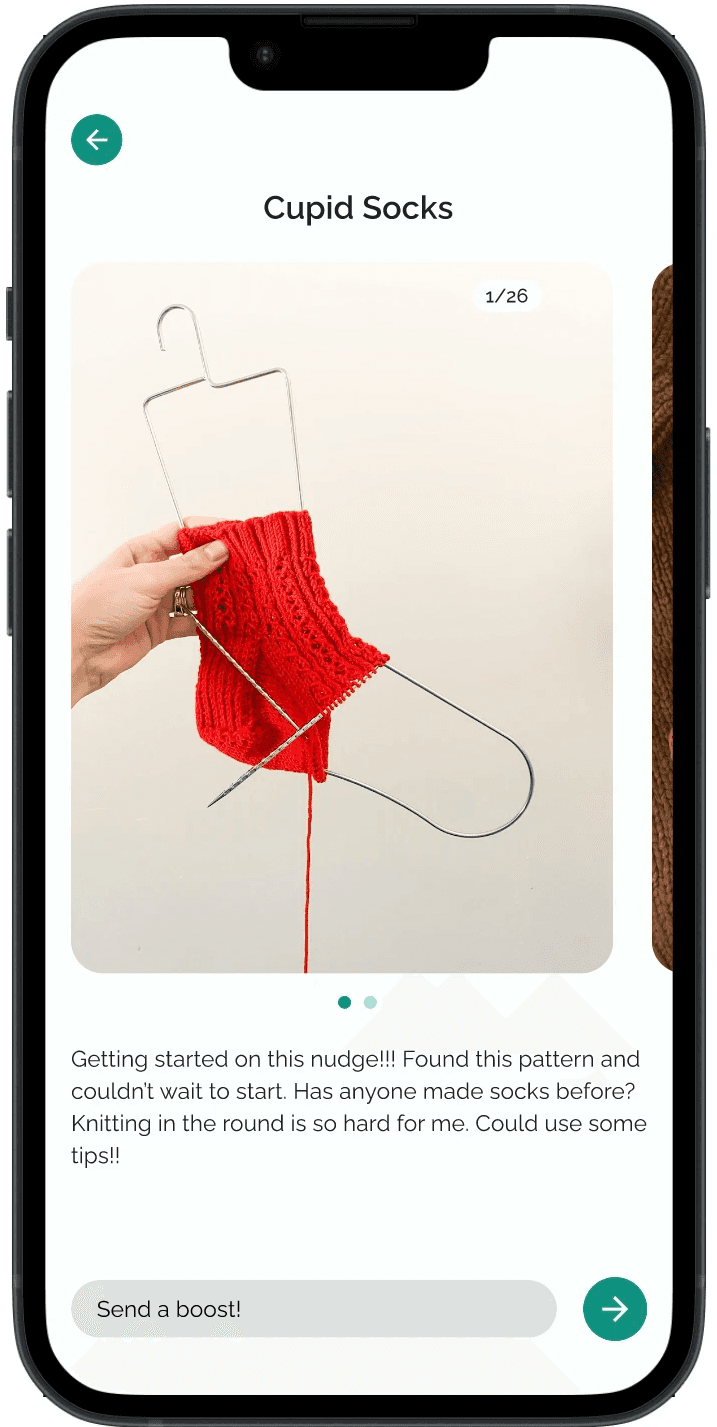
  2. Users can share progress updates within their circles.


Although the wireframes weren't complete, I outlined the next steps for Looply in our pitch deck to fully flesh out the app features.

Judge feedback

“There is value in connecting people with their hobby communities. The presentation was well thought out, and the user research added value to the project as well.”

"The UI could be more intuitive — particularly in showing project progress."

"If instead of dummy values there were actual examples and user cases, that would help understand the actual value of the product further.”

“It would be valuable to further differentiate Looply by highlighting unique capabilities or user experiences that cannot be easily replicated elsewhere.”

Revisited post-hackathon

Back to the drawing board.

I needed to flesh out the UI with intuitive use cases and highlight Looply’s unique value:

  1. Caters to beginner/intermediate crafters

  2. Facilitates in-person community

  3. Creates motivation systems using progress updates

  4. Includes low-pressure prompts that guide crafters to complete projects or craft more frequently

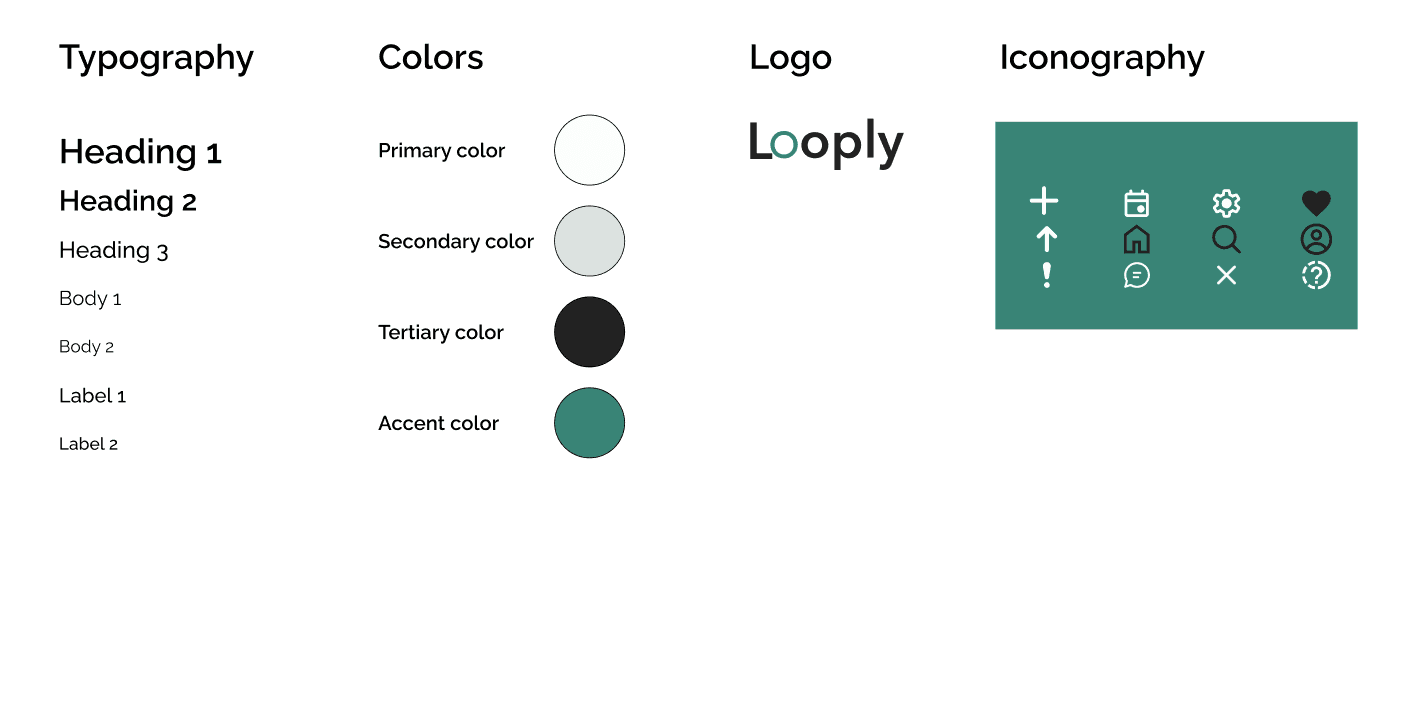
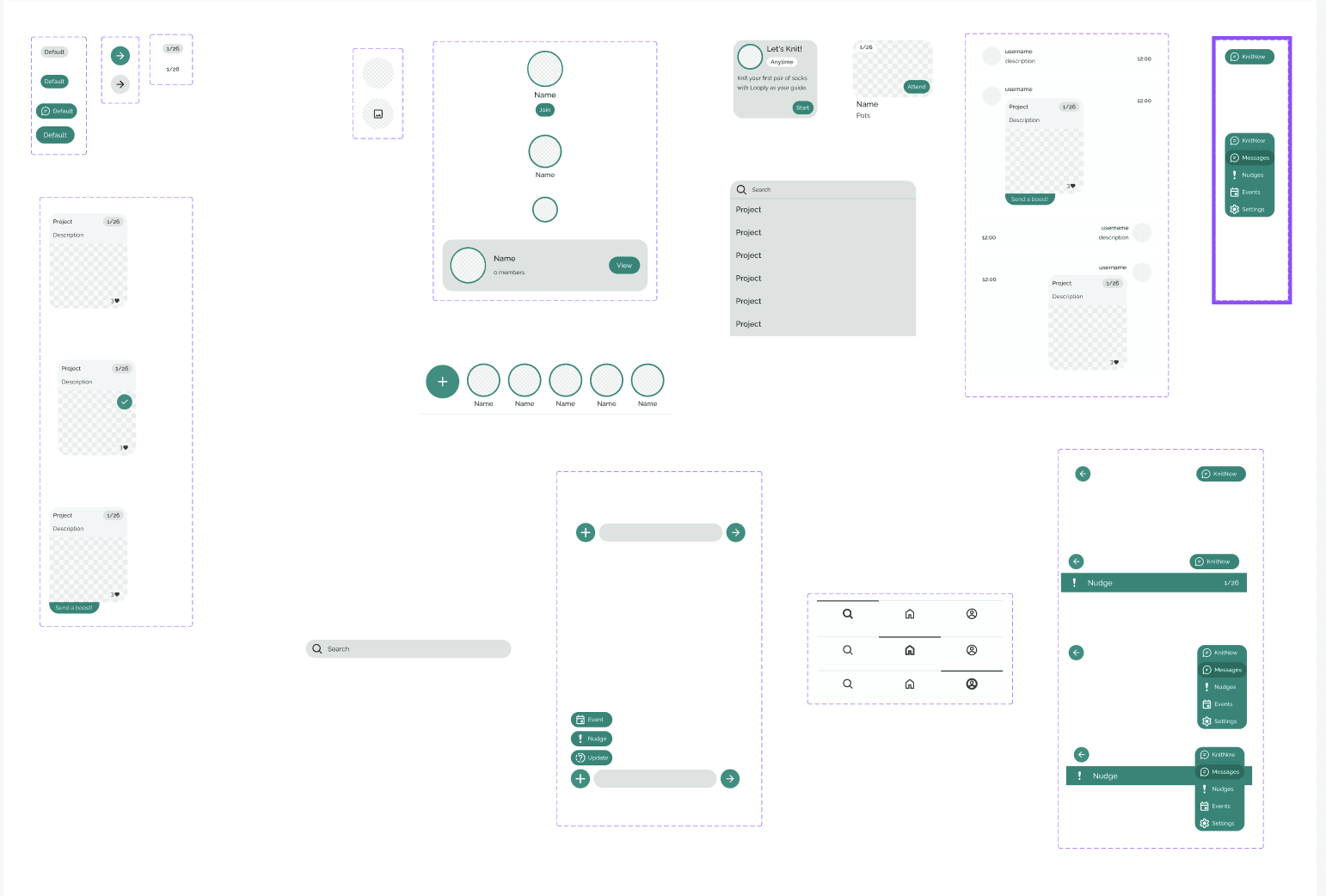
I created a design system with a style guide and a component library including 16 different components.

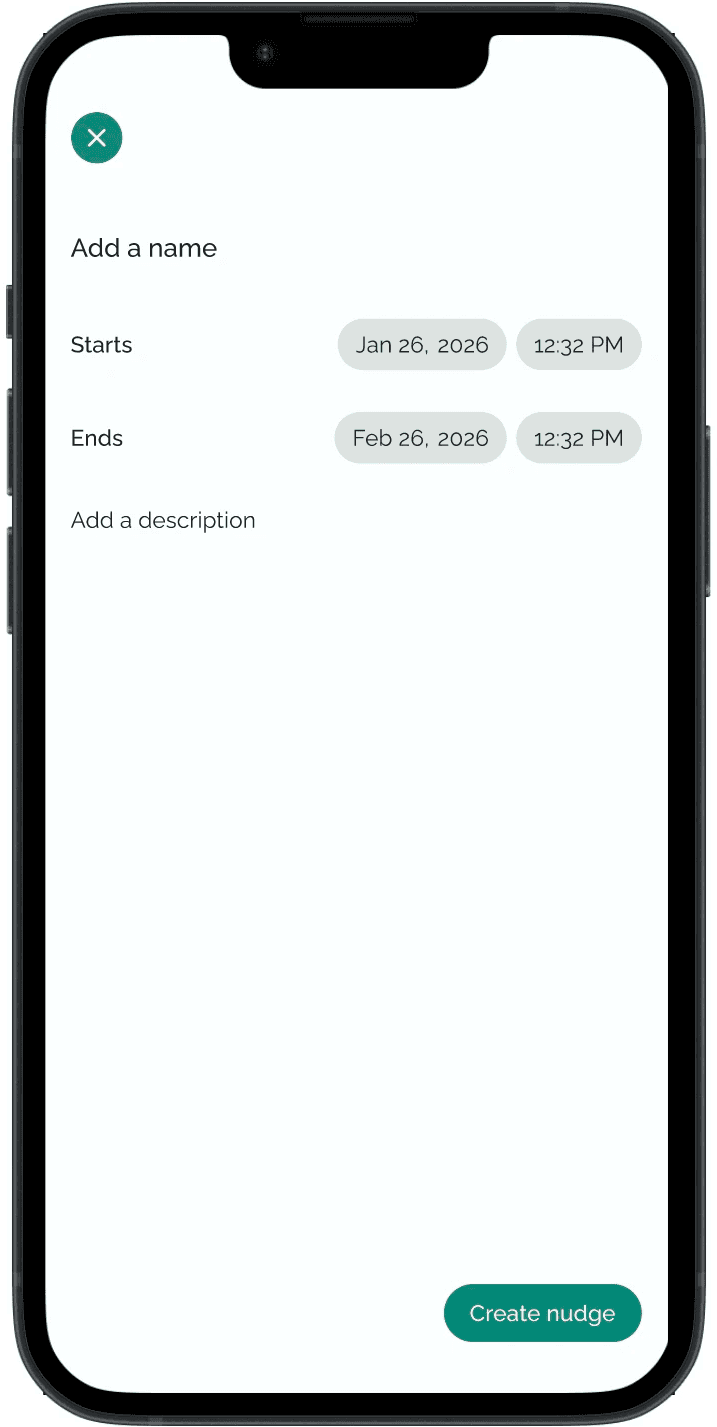
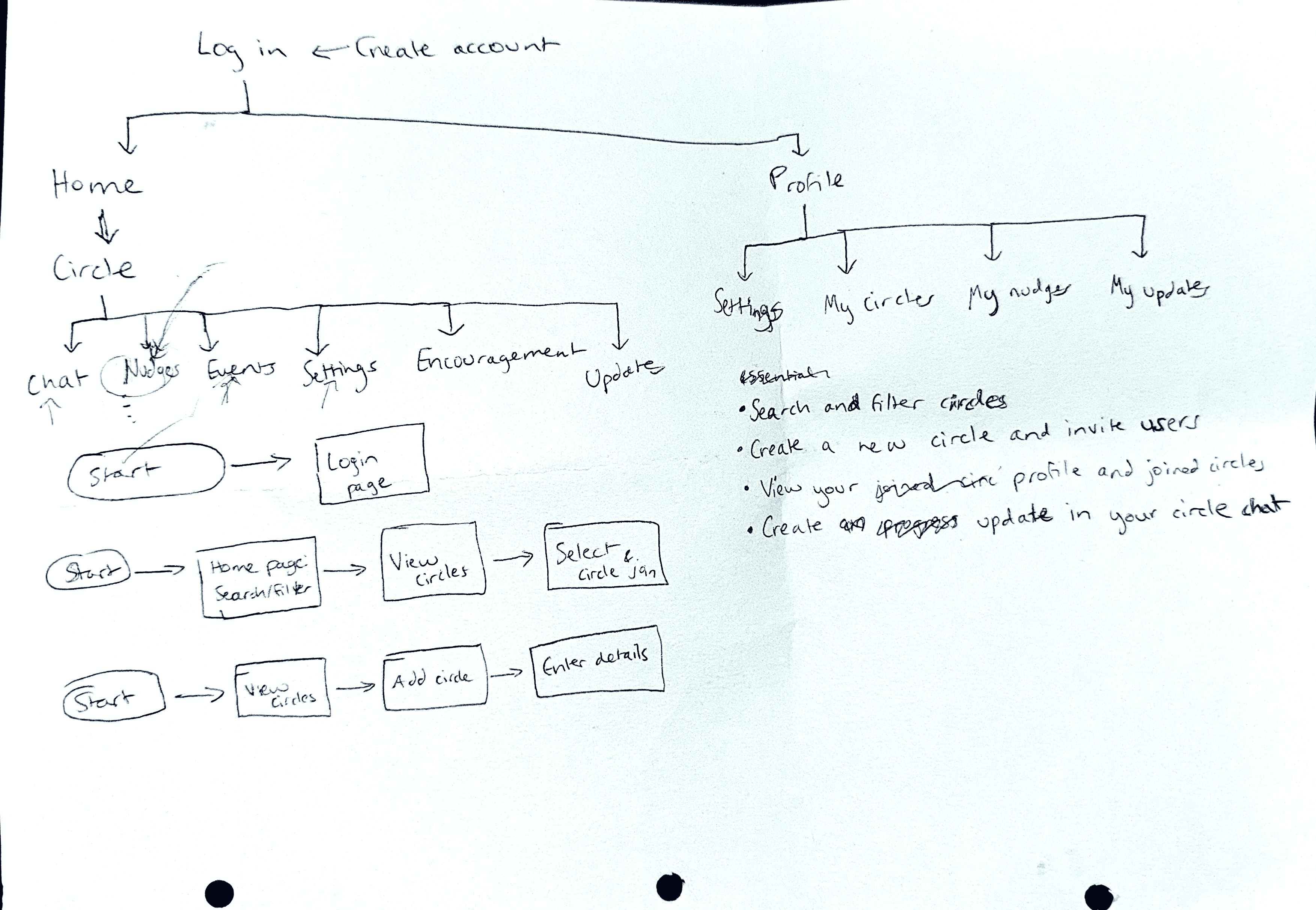
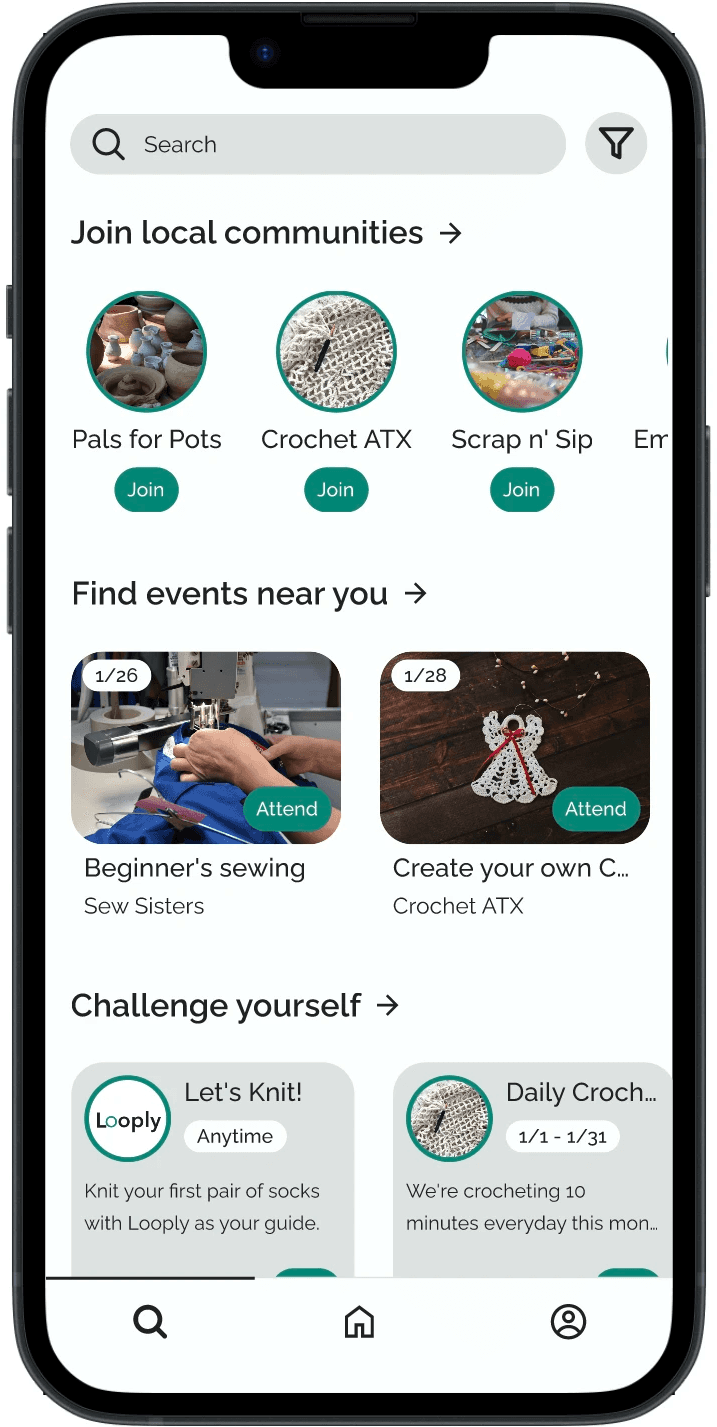
Finally, I identified three key user stories, developed user flows, and created the high-fidelity wireframes.

As someone who’s new to a craft, I want to find local circles and events to build a community of crafting friends.

As a crafter who struggles to finish projects, I want to use low-pressure prompts and progress updates to be encouraged to craft more often.

As someone who feels unmotivated to continue with a new craft or existing project, I want to be encouraged and encourage others to stay motivated.

What's next?

  1. Conducting usability to further iterate on the design.

    Though judge feedback was helpful, I want to involve real users.


  2. Expanding the interaction design of the components

    I want to expand on the different button, modal, and submission states to improve Looply's UX.


  3. Engage with engineering teams and Figma Make

    By bringing in a backend developer team and Figma Make, we can build an actual MVP to reach real users.

Smooth Scroll
This will hide itself!

Looply: Creating a motivational social app for crafters

OVERVIEW

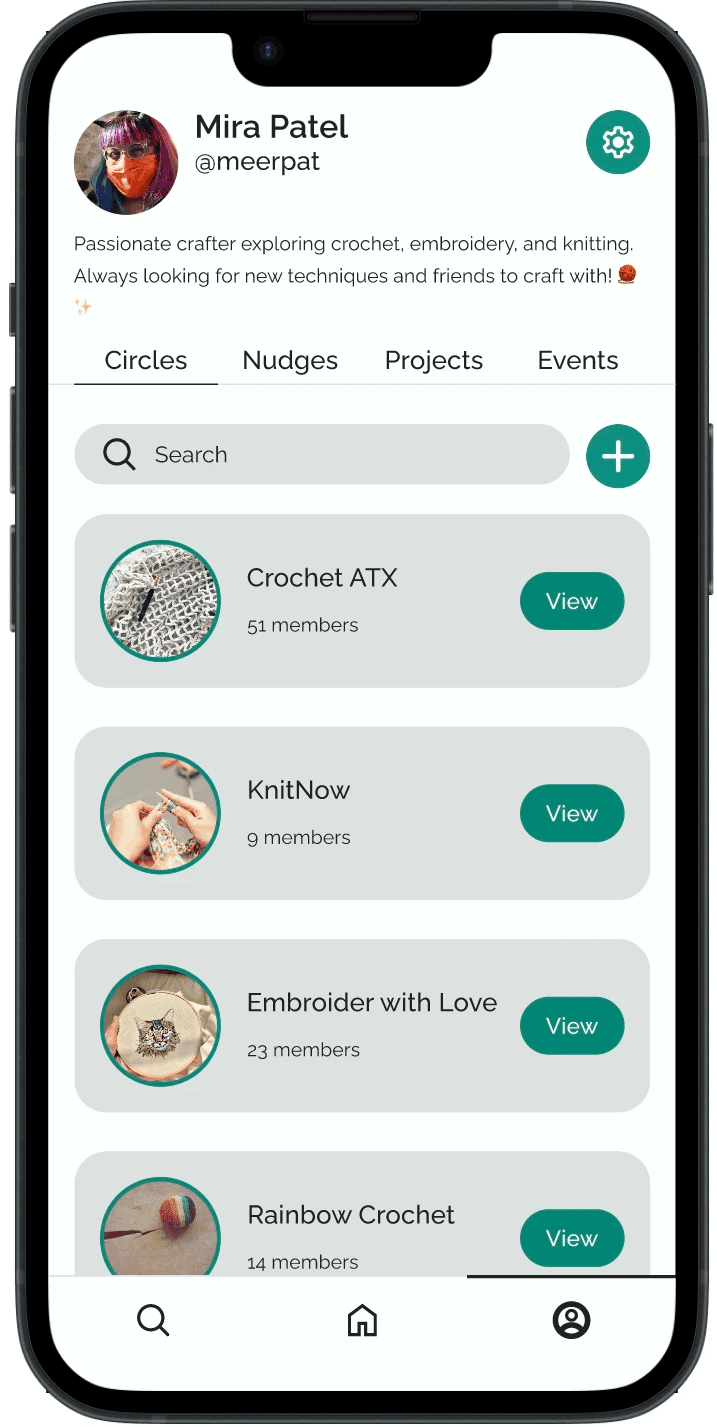
During a 48-hour hackathon, I devised Looply: a motivational social network app for crafters. Looply helps users craft more frequently and find in-person community by offering users local craft circles and events, motivating guided prompts, and progress update sharing.
YEAR

Jan 2026 - Feb 2026

ROLE

UX Researcher

UX Designer

Team

Sam Kamath

Rajab Ali

The Problem

Crafters often have graveyard of unfinished projects or hobbies. As a hobby, crafting is often a solitary activity. People sometimes lack motivating in-person community. When combined with daily distractions, the business of life, and lack of motivation, it's no surprise that people often quit new crafts or abandon ongoing projects.

The Solution

Looply is a conceptual mobile app designed for beginner and intermediate crafters to find community and motivation. It was designed as a tool for positive reinforcement via guided prompts, encouraging messages, and progress update sharing. Looply also presents users with local events and craft circles, helping them find connections and resources.

Key Challenges

  • As a hackathon project, most of the UX design process occurred in a 48 hour timeline

  • Due to team members being in different countries, all collaboration was remote and across timezones.

  • Our backend developer dropped out during the project, limiting the user flows we could deliver.

Research

The timeline for the UX process was tight: 48 hours total and 16 hours to finalize a product design before international developer handoff. I prioritized research methods that would provide the most immediate, broadest results.

I used 15 user surveys asking users their behaviors on crafting frequency, community experiences, and accountability motivations.

A quick competitive analysis helped determine how to differentiate this solution.

I analyze two craft-focused social websites: Ribblr and Ravelry.

Both are yarn-focused apps with project tracking abilities, pattern-sharing, and social community.

What does Looply add?

  • A mobile app with easy-to-use UI for all types of crafters

  • Specialized focus on actively connecting users with relevant in-person community

  • Caters to beginner and intermediate crafters who require motivation to begin or stick with their projects

I created two personas to identify the target audience.

Ideation

How might we motivate new crafters?

How might we increase accountability?

How might we support in-person community?

Next came sketching.

And more sketching.

And then some more.


I created a language to describe Looply features:

Circles = craft communities

Nudges = encouraging prompts/challenges

Updates = progress updates on a particular project

The clock was running out. It was almost time for developer handoff.

I realized I couldn’t fully wireframe key user stories.

Instead, I considered what was technically possible under time limitations (and with no backend developer) but also showcased the two core features of Looply: connection and motivation.

I made basic Figma wireframes with these two considerations:

  1. User can create, join, and explore circles and view circle posts in their feed. 

  2. Users can share progress updates within their circles.


Although the wireframes weren't complete, I outlined the next steps for Looply in our pitch deck to fully flesh out the app features.

Judge feedback

“There is value in connecting people with their hobby communities. The presentation was well thought out, and the user research added value to the project as well.”

"The UI could be more intuitive — particularly in showing project progress."

"If instead of dummy values there were actual examples and user cases, that would help understand the actual value of the product further.”

“It would be valuable to further differentiate Looply by highlighting unique capabilities or user experiences that cannot be easily replicated elsewhere.”

Revisited post-hackathon

Back to the drawing board.

I needed to flesh out the UI with intuitive use cases and highlight Looply’s unique value:

  1. Caters to beginner/intermediate crafters

  2. Facilitates in-person community

  3. Creates motivation systems using progress updates

  4. Includes low-pressure prompts that guide crafters to complete projects or craft more frequently

I created a design system with a style guide and a component library including 16 different components.

Finally, I identified three key user stories, developed user flows, and created the high-fidelity wireframes.

As someone who’s new to a craft, I want to find local circles and events to build a community of crafting friends.

As a crafter who struggles to finish projects, I want to use low-pressure prompts and progress updates to be encouraged to craft more often.

As someone who feels unmotivated to continue with a new craft or existing project, I want to be encouraged and encourage others to stay motivated.

What's next?

  1. Conducting usability to further iterate on the design.

    Though judge feedback was helpful, I want to involve real users.


  2. Expanding the interaction design of the components

    I want to expand on the different button, modal, and submission states to improve Looply's UX.


  3. Engage with engineering teams and Figma Make

    By bringing in a backend developer team and Figma Make, we can build an actual MVP to reach real users.

Smooth Scroll
This will hide itself!

Looply: Creating a motivational social app for crafters

OVERVIEW

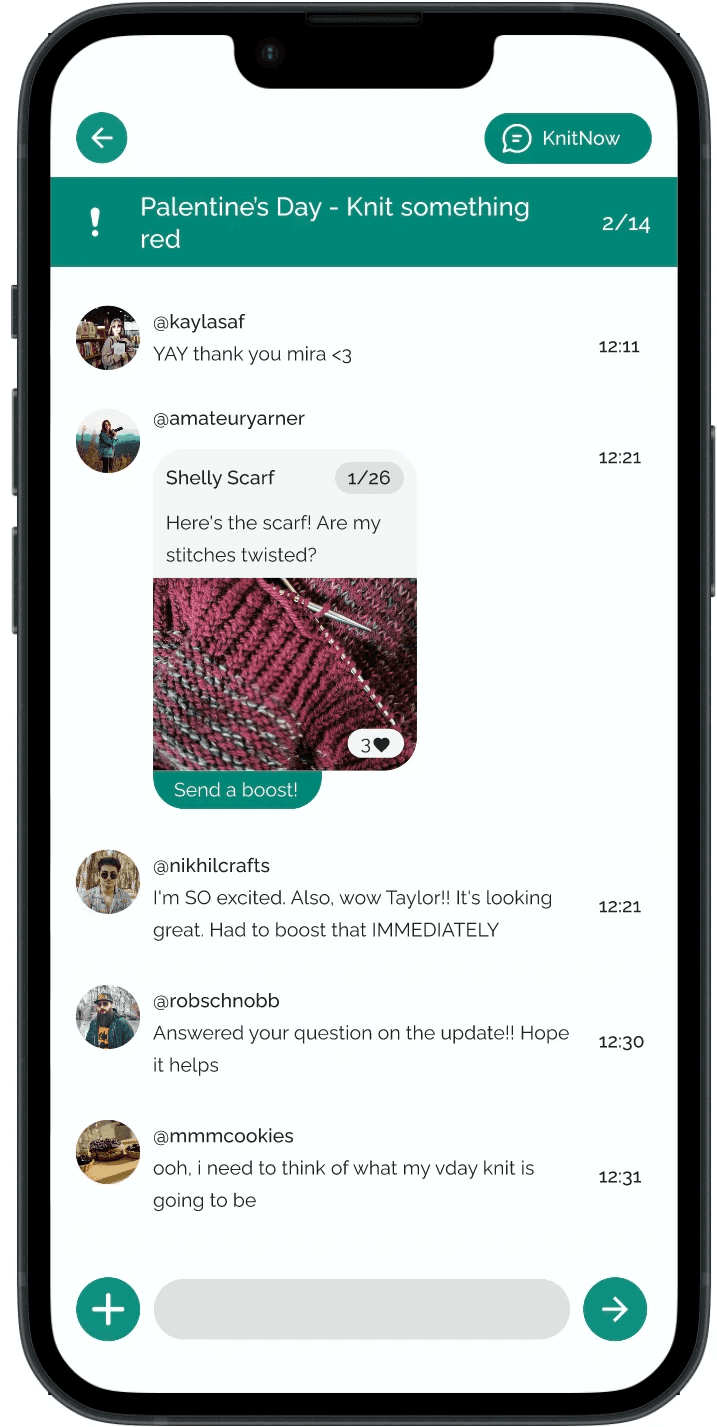
During a 48-hour hackathon, I devised Looply: a motivational social network app for crafters. Looply helps users craft more frequently and find in-person community by offering users local craft circles and events, motivating guided prompts, and progress update sharing.
YEAR

Jan 2026 - Feb 2026

ROLE

UX Researcher

UX Designer

Team

Sam Kamath

Rajab Ali

The Problem

Crafters often have graveyard of unfinished projects or hobbies. As a hobby, crafting is often a solitary activity. People sometimes lack motivating in-person community. When combined with daily distractions, the business of life, and lack of motivation, it's no surprise that people often quit new crafts or abandon ongoing projects.

The Solution

Looply is a conceptual mobile app designed for beginner and intermediate crafters to find community and motivation. It was designed as a tool for positive reinforcement via guided prompts, encouraging messages, and progress update sharing. Looply also presents users with local events and craft circles, helping them find connections and resources.
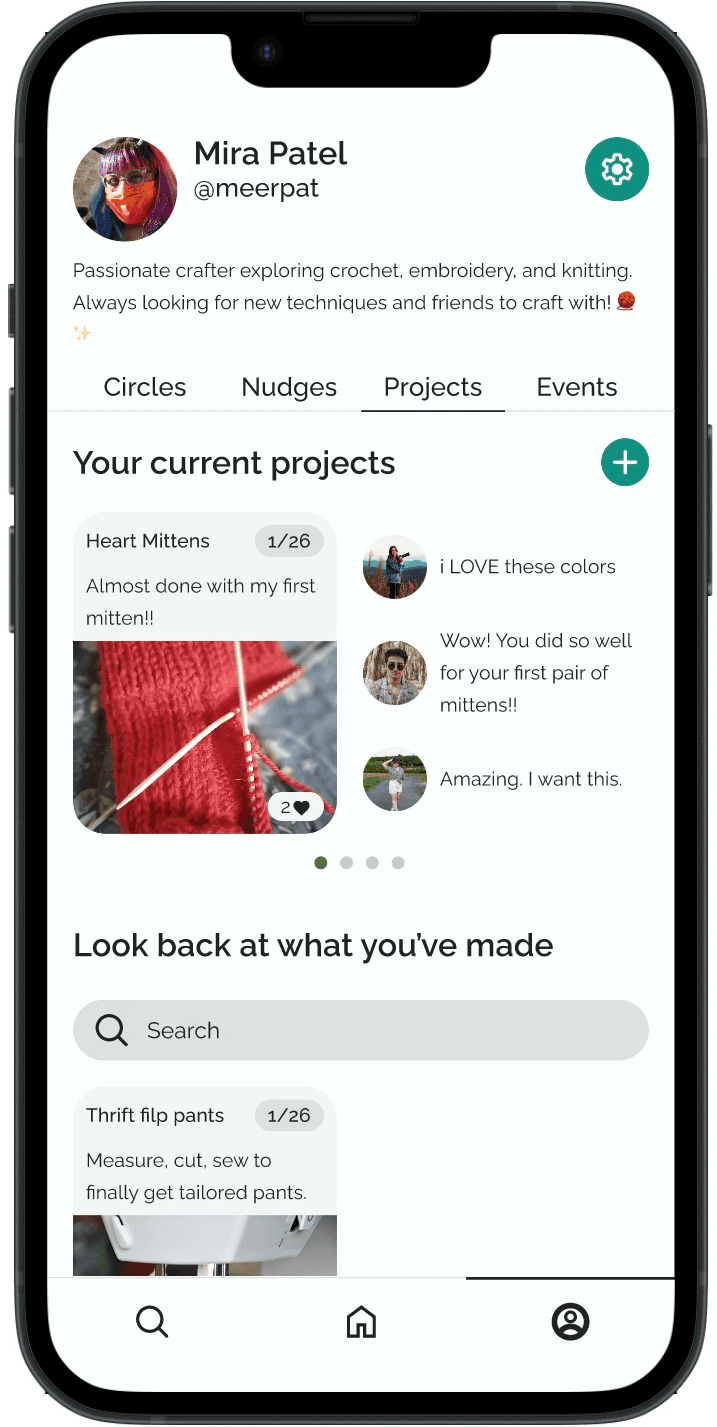
Key Challenges

  • As a hackathon project, most of the UX design process occurred in a 48 hour timeline

  • Due to team members being in different countries, all collaboration was remote and across timezones.

  • Our backend developer dropped out during the project, limiting the user flows we could deliver.

Research

The timeline for the UX process was tight: 48 hours total and 16 hours to finalize a product design before international developer handoff. I prioritized research methods that would provide the most immediate, broadest results.

I used 15 user surveys asking users their behaviors on crafting frequency, community experiences, and accountability motivations.

A quick competitive analysis helped determine how to differentiate this solution.

I analyze two craft-focused social websites: Ribblr and Ravelry.

Both are yarn-focused apps with project tracking abilities, pattern-sharing, and social community.

What does Looply add?

  • A mobile app with easy-to-use UI for all types of crafters

  • Specialized focus on actively connecting users with relevant in-person community

  • Caters to beginner and intermediate crafters who require motivation to begin or stick with their projects

I created two personas to identify the target audience.

Ideation

How might we motivate new crafters?

How might we increase accountability?

How might we support in-person community?

Next came sketching.

And more sketching.

And then some more.


I created a language to describe Looply features:

Circles = craft communities

Nudges = encouraging prompts/challenges

Updates = progress updates on a particular project

The clock was running out. It was almost time for developer handoff.

I realized I couldn’t fully wireframe key user stories.

Instead, I considered what was technically possible under time limitations (and with no backend developer) but also showcased the two core features of Looply: connection and motivation.

I made basic Figma wireframes with these two considerations:

  1. User can create, join, and explore circles and view circle posts in their feed. 

  2. Users can share progress updates within their circles.


Although the wireframes weren't complete, I outlined the next steps for Looply in our pitch deck to fully flesh out the app features.

Judge feedback

“There is value in connecting people with their hobby communities. The presentation was well thought out, and the user research added value to the project as well.”

"The UI could be more intuitive — particularly in showing project progress."

"If instead of dummy values there were actual examples and user cases, that would help understand the actual value of the product further.”

“It would be valuable to further differentiate Looply by highlighting unique capabilities or user experiences that cannot be easily replicated elsewhere.”

Revisited post-hackathon

Back to the drawing board.

I needed to flesh out the UI with intuitive use cases and highlight Looply’s unique value:

  1. Caters to beginner/intermediate crafters

  2. Facilitates in-person community

  3. Creates motivation systems using progress updates

  4. Includes low-pressure prompts that guide crafters to complete projects or craft more frequently

I created a design system with a style guide and a component library including 16 different components.

Finally, I identified three key user stories, developed user flows, and created the high-fidelity wireframes.

As someone who’s new to a craft, I want to find local circles and events to build a community of crafting friends.

As a crafter who struggles to finish projects, I want to use low-pressure prompts and progress updates to be encouraged to craft more often.

As someone who feels unmotivated to continue with a new craft or existing project, I want to be encouraged and encourage others to stay motivated.

What's next?

  1. Conducting usability to further iterate on the design.

    Though judge feedback was helpful, I want to involve real users.


  2. Expanding the interaction design of the components

    I want to expand on the different button, modal, and submission states to improve Looply's UX.


  3. Engage with engineering teams and Figma Make

    By bringing in a backend developer team and Figma Make, we can build an actual MVP to reach real users.

Smooth Scroll
This will hide itself!